

Composer#
Installation#
Composer All-in-One is part of the PHP Tools extension. It can also be installed separately from the Composer extension page.
Composer.json Editor & IntelliSense#
The composer.json editor is extended with smart actions, code lenses, tooltips, and IntelliSense to autocomplete packages and versions from packagist.org.
Completion of Package Names#
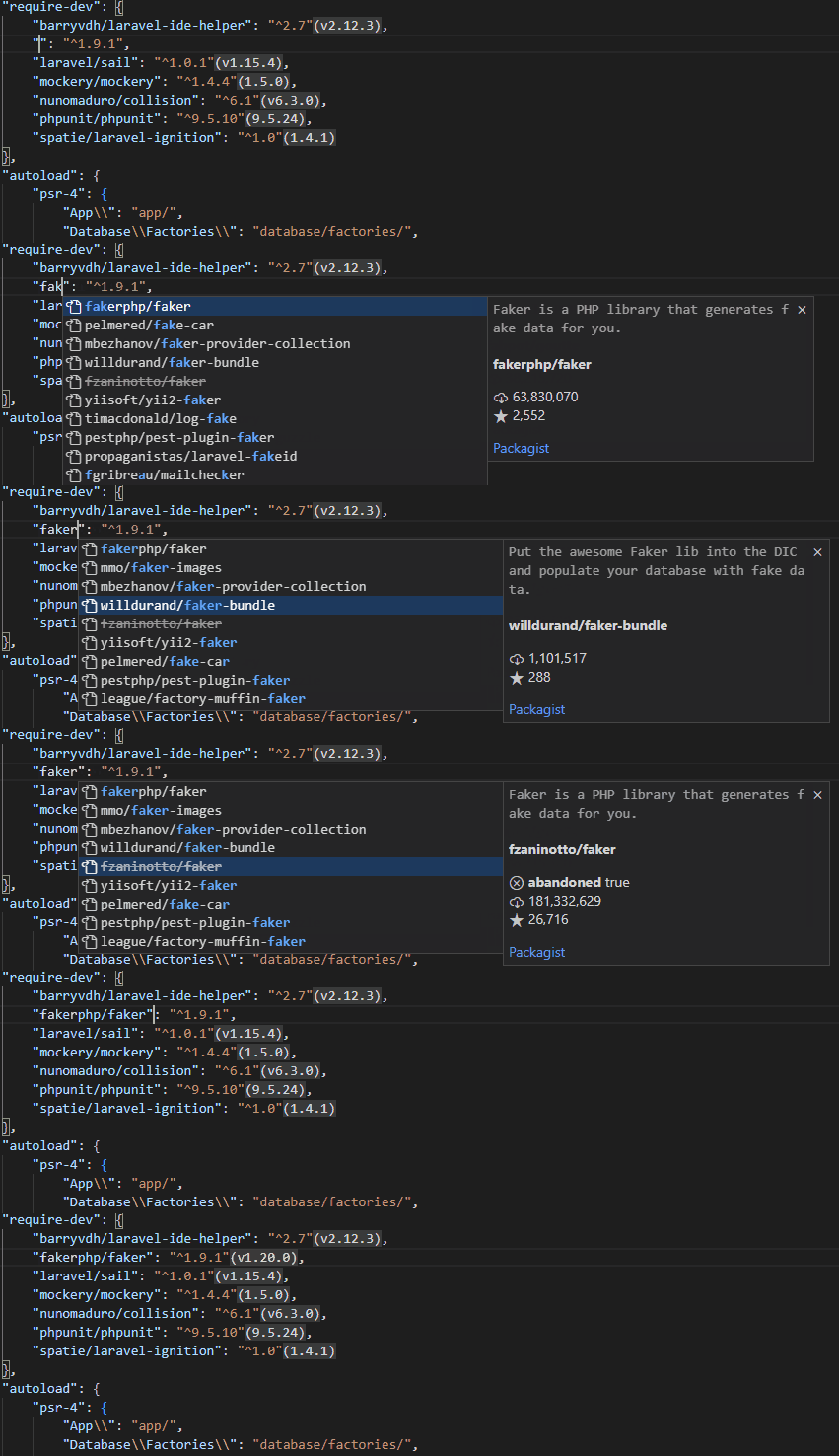
Code completion searches packages and lists their names with detailed information, including downloads, favorites, abandonment status, and descriptions. There are also quick links to the package home page, package source code, and packagist.org page.
Completion of Package Versions#
Available minor versions are fetched from packagist.org and listed in code completion after the required package name:

Tooltips#
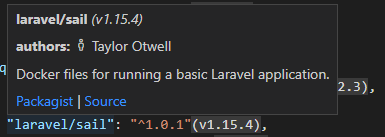
Installed package details are displayed in the tooltips.
Code Actions#
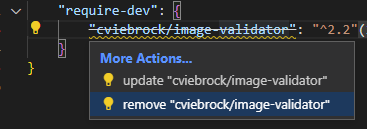
Quickly update or remove a package right from the editor by using code actions:
Installed Version Inlay#
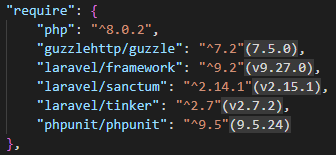
The actual installed version is displayed conveniently next to the required package version:
Run-Script CodeLens#
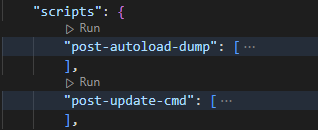
The "scripts" section of composer.json gets a small CodeLens that allows you to quickly run the corresponding script right from the editor:
Diagnostics & Abandoned Packages#
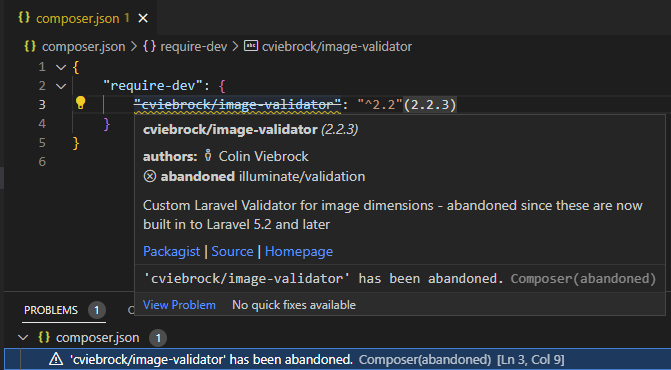
The extension watches installed packages and checks whether any of them are abandoned. Abandoned packages are listed in VS Code's Problems view with strikethrough text, and the tooltip shows the corresponding abandonment message:
Commands#
Integrated commands work with the composer.json file in the workspace root directory. If necessary, commands ask which workspace folder you are referring to. This lets you quickly require, remove, or search for packages from packagist.org, and more.
The following commands are usually executed as a VS Code task, using the php executable configured in Settings, and composer.phar downloaded automatically when necessary (so you do not need to install it yourself).
composer: install#
Runs the install command.
composer: update#
Runs the update command.
composer: require#
The composer: require command shows a quick pick with online search and installs the selected package. The search displays important information, including package descriptions, downloads, and favorites.

composer: require-dev#
Requires a dev package. This works the same as composer: require, but the package is installed as a development dependency.
composer: remove#
Removes one or more installed packages from the project. The command shows a quick pick with multi-selection, allowing you to choose the packages to remove:

composer: create-project ...#
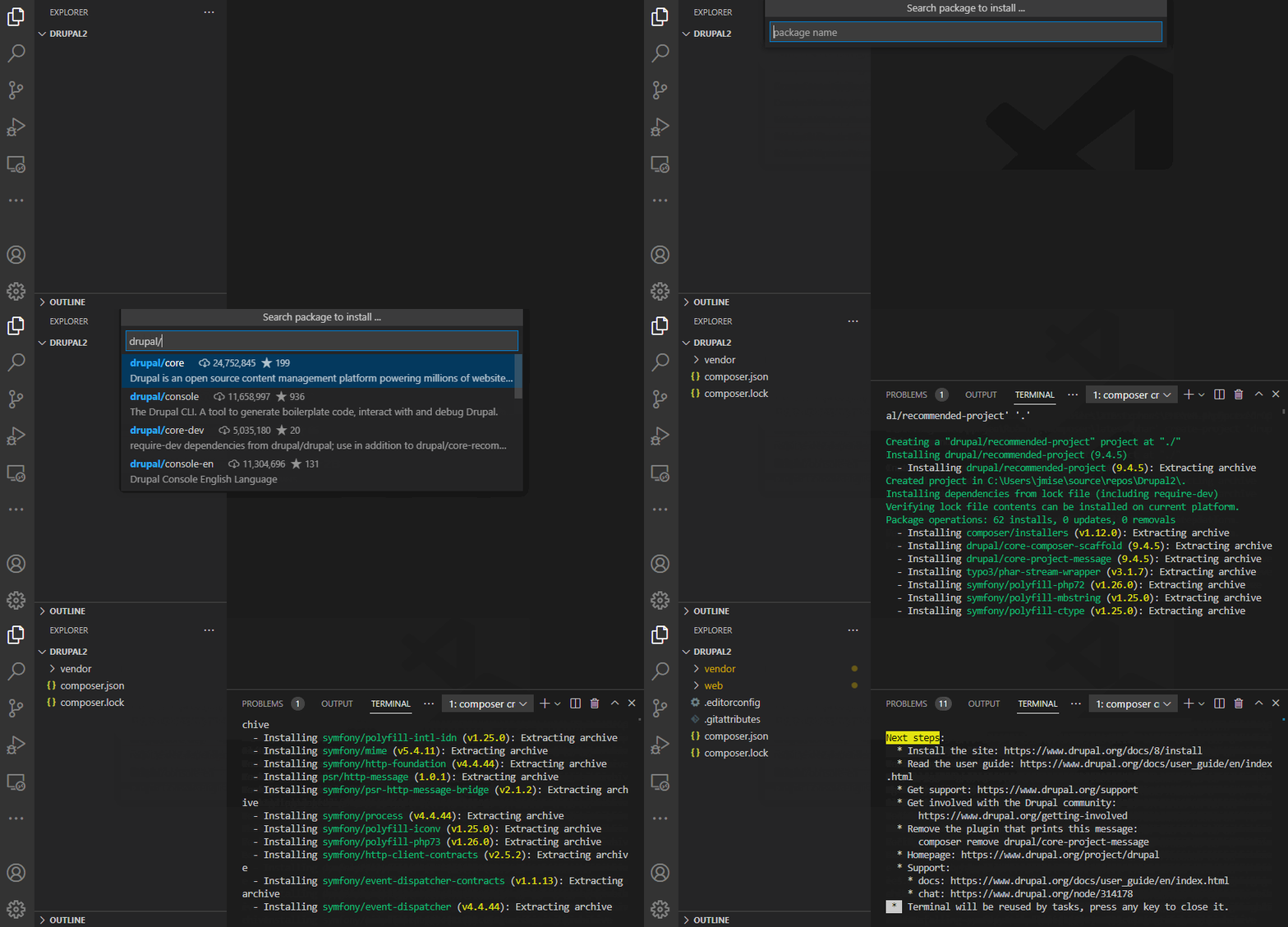
Open an empty folder in VS Code and create a new project from a Composer package. The command shows a quick pick that searches online for available packages and invokes the create-project command for you:
composer: search ...#
Search for packages on packagist.org. Quickly browse packages, read descriptions, open details on packagist.org, or require a package right from the quick pick menu.

composer: run-script ...#
Quickly run your Composer script from the Command Palette:

composer: check-platform-reqs#
Checks whether your local PHP environment and installed extensions satisfy platform requirements declared by dependencies.
composer: update the internal composer.phar#
The extension automatically downloads the latest Composer installation and uses it for all tasks and commands. Run composer: update the internal composer to manually re-download the latest snapshot.
composer: about#
Shows information about Composer support.
composer: archive ...#
Runs the archive command and asks for arguments.
composer: clear-cache#
Clear the internal composer cache.
composer: fund#
Shows your required packages funding options.
composer: licenses#
Shows a summary of your required package licenses.
composer: outdated#
Shows a list of outdated packages.
composer: reinstall#
Runs the reinstall command.
Tasks#
A VS Code task that executes a composer command is a useful way to configure and run Composer. The composer.phar file is installed automatically, and the php executable is determined from Settings.
Example:
Schema Validation#
The extension provides schema validation for composer.json files, maintained by @composer.
- Correctness validation.
- Tooltips and code completion for
composer.jsonJSON elements.
Configuration#
If there is an existing installation of composer.phar in one of the following paths, it is used as-is:
/usr/bin/composer(Linux/OsX)/usr/local/bin/composer(Linux/OsX)${COMPOSER_HOME}/composer.phar.composer/composer.pharunder the user's home directory (Linux, OsX)${APP_DATA}/Composer/composer.phar(Windows)
Otherwise, the extension automatically downloads the latest composer.phar snapshot, uses it, and keeps it updated. The location follows Composer's default installation path, which can be changed by setting the COMPOSER_HOME environment variable.
Additional Settings#
| Setting | Description |
|---|---|
php.executablePath | This value is used to determine the php executable path for running Composer commands. If it is not set, "php" is used by default.If the PHP Tools extension is installed, Composer commands are executed using the php version selected with PHP Version Picker. |
composer.workingPath | The relative path to the composer.json file. |
Related links#
- PHP Tools Installation
- Composer Extension (marketplace.visualstudio.com)
- Create PHP Project using Composer in VS Code
- Introducing Composer for VS Code