

Uninstall#
Remove PHP Tools for Visual Studio when you no longer need the extension, for example before upgrading to a newer major version or switching to a different PHP development setup.
Uninstalling does not remove your PHP projects or source code; it only removes the PHP Tools extension itself.
Visual Studio 2017 or higher#
Go to Visual Studio's Extension Manager in Tools | Extensions and Updates (Visual Studio 2017) or Extensions | Manage Extensions (Visual Studio 2019 or newer).
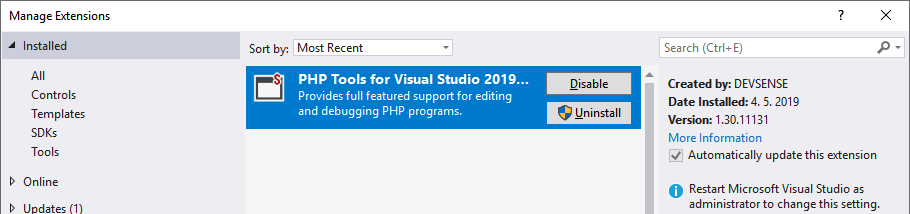
Any new installation, update or removal requires restarting Visual Studio. The user is notified about that, and it is recommended to perform installations or updates while all Visual Studio instances are closed.
Visual Studio 2010 - 2015#
PHP Tools for Visual Studio is installed through the Windows Installer. Use Programs and Features in Windows Control Panel for repair, change or uninstall.
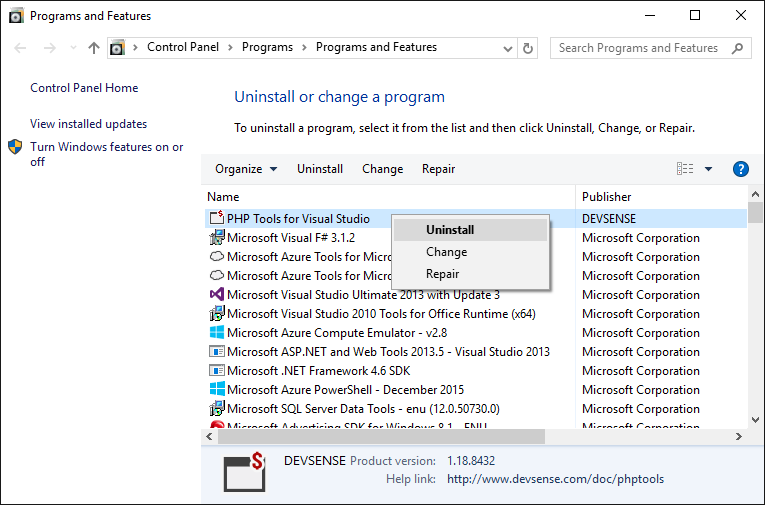
Note: The extension is listed in Visual Studio in
Tools | Extension Managerwithout the option to uninstall.