

Antigravity IDE#
Google's Antigravity IDE is supported with the standard PHP Tools for VS Code extension.
Installation#
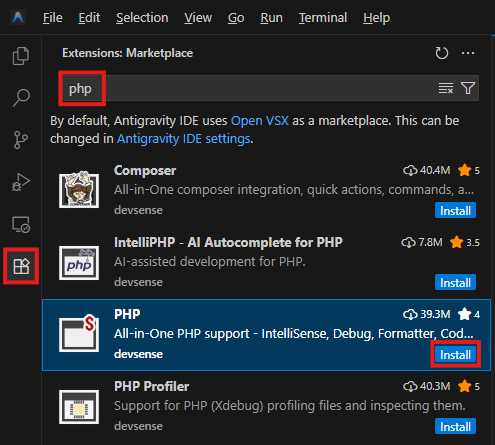
Install the PHP extension from the extensions panel.
Basic Usage#
Please refer to the PHP Tools for VS Code Documentation for the standard features documentation.
MCP Server#
Since
1.74.19294
The MCP server provides MCP tools, skills, and contexts that AI agents such as Claude can use to access the same information that the PHP IDE knows internally.
Note: As we tested, Antigravity agent seems to have issues with MCP Tools - it provides wrong arguments to the tools, and uses wrong results.
Antigravity IDE needs the following configuration to enable the use of our PHP MCP Server:
- In your workspace settings, specify a local MCP Server port (this should be unique for every workspace that is opened at the same time):
.vscode/settings.json:
- According to the documentation, the configuration file is located globally at
~/.gemini/config/mcp_config.json(or locally in your workspace under.agents/mcp_config.json). Add the following setting: